- Published on
Your First SimpleModule Module: a Table, an Endpoint and a React Page
Series: SimpleModule
This post is part of the SimpleModule series.
Table of Contents
What we're building
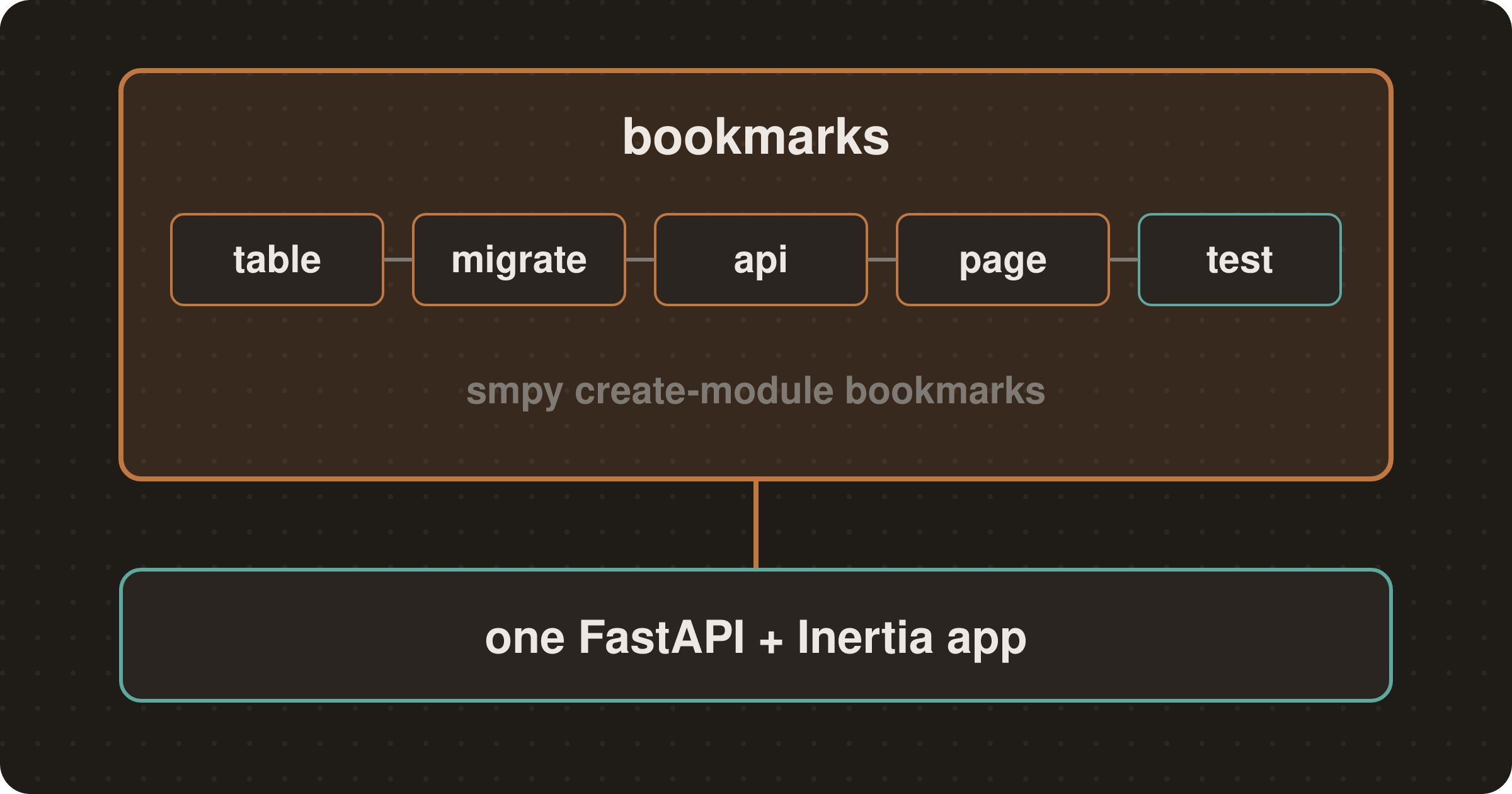
Part 1 covered what a SimpleModule module is. This part builds one: a bookmarks module with its own table, a REST API, a React page and tests. I ran every command below against a fresh app on SimpleModule 0.0.47, and the outputs are copied from that run.
You need Python 3.12 or later, uv and Node.
Start from a fresh app
uvx --from simple_module_cli@latest smpy new bookshelf -y
cd bookshelf
-y accepts the defaults: SQLite, no multi-tenancy, and the standard preset (auth, users, dashboard and permissions). It also installs the dependencies and applies an initial migration. The app ships a sample hello module under modules/.
Keep the @latest. Without it, uvx runs any smpy you installed earlier with uv tool install, even an old one, and a new app pins the framework to the CLI's own version. From 0.0.45, smpy new warns when a newer CLI is on PyPI (#899); an older tool stays silent. If you installed one, run uv tool upgrade simple_module_cli.
Scaffold the module
uv run smpy create-module bookmarks --dest modules/bookmarks
uv run smpy add ../modules/bookmarks --path host -y
create-module writes a complete CRUD module: a model, DTOs, a service, REST and Inertia endpoints, Browse, Create and Edit pages, an English locale file and tests, and prints the remaining steps. smpy add wires it into the host. The path is relative to host/, which is why it starts with ../. It adds simple_module_bookmarks to host/pyproject.toml as a uv workspace source, syncs, and prints the next step:
[tool.uv.sources]
simple_module_bookmarks = {workspace = true}simple_module_bookmarks ships database models — generate and apply the migration:
make migration msg="add bookmarks"
make migrate
If `make dev` is running, restart it: modules are discovered at start-up.Then run make install, as create-module's own steps say. It links the module's pages and generates the typed i18n keys they use.
make installThe scaffold's tests already pass at this point:
uv run pytest modules/bookmarks -q
# 15 passed in 1.50s
The module's layout:
modules/bookmarks/bookmarks/
├── module.py            # entry point: menu, permissions, routes
├── models.py            # the table
├── contracts/schemas.py # DTOs other modules may import
├── core/constants.py    # permission names, page keys, limits
├── web/                 # service, deps, endpoints/{api,views}.py
├── pages/               # Browse.tsx, Create.tsx, Edit.tsx
└── locales/en.json
Add a field to the model
The scaffold's Bookmark has a name, a description and an is_active flag. A bookmark needs a URL. Add the limit to core/constants.py, where the scaffold keeps every limit and name:
URL_MAX_LENGTH = 2000Then add the column in models.py:
Base = create_module_base("bookmarks")


class Bookmark(Base, AuditMixin, table=True):
    __tablename__ = TABLE_BOOKMARK  # "bookmarks_bookmark"

    id: int | None = Field(default=None, primary_key=True)
    name: str = Field(max_length=NAME_MAX_LENGTH)
    url: str = Field(max_length=URL_MAX_LENGTH)
    description: str | None = Field(default=None, max_length=DESCRIPTION_MAX_LENGTH)
    is_active: bool = Field(default=True)
AuditMixin adds created_at, updated_at, created_by and updated_by. The table name carries the module prefix because every module shares one schema.
Validate the DTOs
The DTOs in contracts/schemas.py are what the API accepts and returns. Add url to BookmarkOut, BookmarkCreate and BookmarkUpdate. A bookmark link ends up in an href, so only accept http and https.
My first try was Field(regex=r"^https?://"). SQLModel (0.0.48 to 0.0.50) accepts that argument and then ignores it on a DTO: BookmarkCreate(url="javascript:1") validated fine. Only the test in the Tests section caught it. A field_validator works:
def _http_url(value: str | None) -> str | None:
    """Only http(s) links: a javascript: URL in an href runs on click."""
    if value is not None and not value.startswith(("http://", "https://")):
        raise ValueError("must start with http:// or https://")
    return value


class BookmarkCreate(SQLModel):
    name: str = Field(min_length=1, max_length=NAME_MAX_LENGTH)
    url: str = Field(max_length=URL_MAX_LENGTH)
    description: str | None = Field(default=None, max_length=DESCRIPTION_MAX_LENGTH)

    _check_url = field_validator("url")(_http_url)
BookmarkUpdate gets the same url: str | None field and validator. Also add "url" to the scaffold's _reject_explicit_null validator, so sending null can't hit the NOT NULL column.
Generate and apply the migration
The scaffolder doesn't write a migration. smpy doctor notices:
uv run smpy doctor
# ⚠ SM011 [WARNING] migrations: Table 'bookmarks_bookmark' is declared in models but missing from the migrated database, so no migration creates it
#   ↳ Suggestion: Run: make migration msg="add bookmarks_bookmark"
Generate it:
make migration msg="add bookmarks"
# Detected added table 'bookmarks_bookmark'
# Generating host/migrations/versions/6cf36d9619dc_add_bookmarks.py ...  done
# Running post write hook 'ruff_imports' ...  done
# Running post write hook 'ruff_format' ...  done
The two hooks run ruff on the new revision, so it passes make lint as generated. Migrations live in the host, not in the module. Open the revision and check it creates the table you expect. Then give the module's first revision a branch label, so the module's migrations have a name you can target:
branch_labels: str | Sequence[str] | None = ("bookmarks",)Until you apply it, doctor reports an error instead:
uv run smpy doctor
# ✗ SM010 [ERROR] migrations: Database is behind: missing heads '6cf36d9619dc'

make migrate
# Running upgrade bc6fd4803263 -> 6cf36d9619dc, add bookmarks
Run doctor again and it prints nothing, which means no findings (#947).
The label is a name, not an isolation boundary. Downgrading bookmarks@base also rolls back whatever sits beneath it on the same chain.
The API and its permissions
The scaffold already guards every route with a permission constant, so the endpoints need no changes:
@router.post(
    "/",
    response_model=BookmarkOut,
    status_code=201,
    dependencies=[Depends(RequiresPermission(PERM_BOOKMARKS_CREATE))],
)
async def create_item(
    data: BookmarkCreate,
    service: BookmarkService = Depends(get_bookmark_service),
) -> BookmarkOut:
    return await service.create(data)
module.py registers the four permissions (bookmarks.view, create, edit and delete) as a group, so they show up in the role editor. It also adds a sidebar entry that only appears for accounts with bookmarks.view.
The React page
The pages type their props from the module's OpenAPI schema. After changing the DTOs, regenerate pages/api.generated.ts:
uv run smpy openapi gen-types --module bookmarks
# wrote modules/bookmarks/bookmarks/pages/api.generated.ts
It also warns that no host settings were found in the database. That's expected in a new app, since nobody has changed a host setting yet (#948).
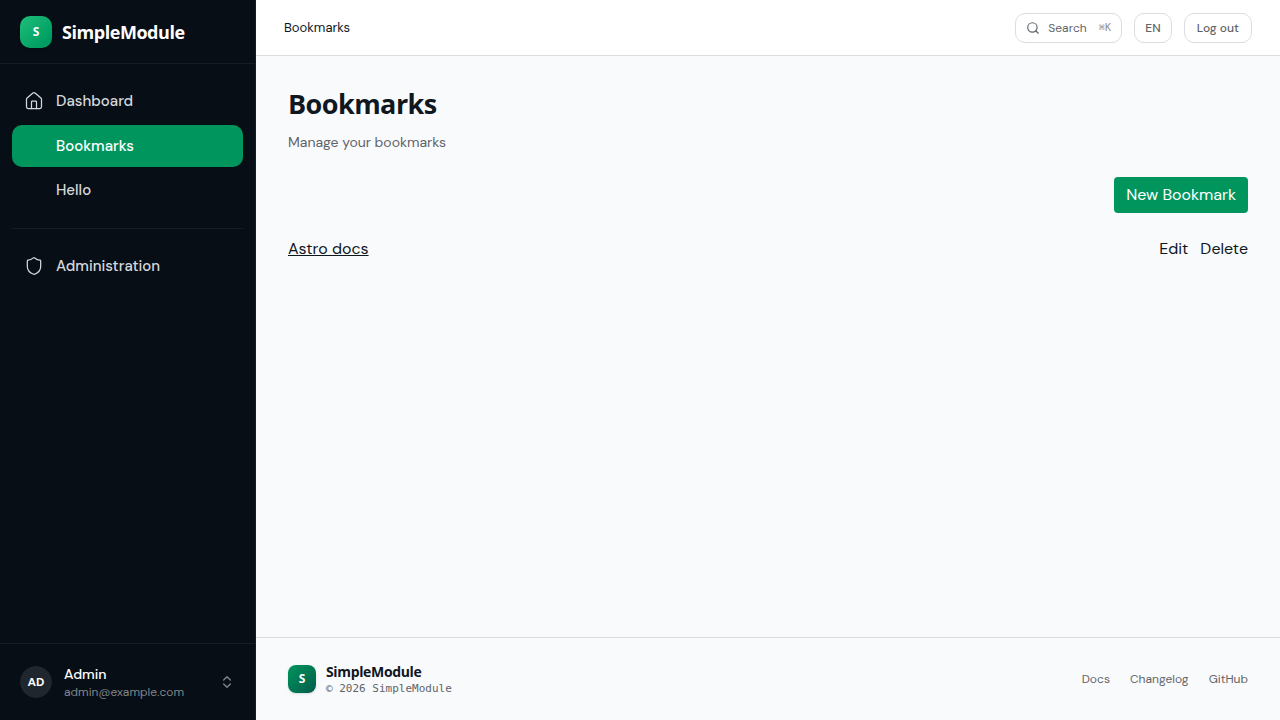
Item in Browse.tsx now has a url: string. Render the name as a link:
<a href={item.url} target="_blank" rel="noreferrer" className="underline">
  {item.name}
</a>
Create.tsx gets a url: '' entry in its useForm call and an <input type="url"> next to the name field. The pages read their text from the module's locales/en.json through t(keys.bookmarks…), so the new field's label goes there too. Add "url_label": "URL" under form in en.json, and use it in the page:
<span className="block text-sm">{t(keys.bookmarks.form.url_label)}</span>keys is generated from the locale files when make dev starts (or by make gen-i18n), so a new key typechecks after that.
The scaffolded pages already render inside the app shell. Each one sets an Inertia persistent layout at the bottom of the file, so the host's sidebar and header stay in place:
Browse.layout = [AuthenticatedLayout];Tests
The scaffolded tests create bookmarks without a URL, so add url="https://example.com" to those calls. Then add the test that caught the ignored regex:
async def test_create_rejects_non_http_url(authenticated_client: httpx.AsyncClient):
    resp = await authenticated_client.post(API, json={"name": "Bad", "url": "javascript:alert(1)"})
    assert resp.status_code == 422
Adding url pushes one post(...) call past ruff's line limit, so run uv run ruff format . before make lint.
authenticated_client comes from the simple_module_test pytest plugin. It's an httpx client with an admin session, against an app with every module's tables created.
uv run pytest modules/bookmarks -q
# 16 passed in 1.45s
Run the app and open the page
make devThis starts FastAPI on port 8000 and Vite on 5050. A fresh install redirects to /setup, which checks that the database migrations are applied and asks for an administrator. Create one, sign in, and pick Bookmarks in the sidebar.
If make dev was already running when you added the module, restart it: modules are discovered at start-up. Edits to locales/en.json reload on their own.
Pitfalls
- SQLModel
Field(regex=...)doesn't validate DTOs. Use afield_validator, and write a test that sends the bad input. The first-module guide now says so too (#898). - An old installed
smpyscaffolds an old app. Upgrade it withuv tool upgrade simple_module_cli, or keep usinguvx --from simple_module_cli@latest. - Run
make installafter adding a module to an app that has already runmake dev. Otherwise the new pages can crash withkeys.<module>undefined: the dev servers start in parallel, and Vite can bundle the old i18n keys before the API writes the new ones (#946).
My first run of this walkthrough was on 0.0.44 and hit six rough edges, filed as #895–#900 and fixed in 0.0.45. A second pass, following the quickstart to the letter, found six more (#914–#919), fixed in 0.0.46. Among them: the sidebar's Administration link was a 404, a plain uv sync uninstalled the modules, and the scaffolded pages ignored en.json. The rerun on 0.0.46 found five (#929–#933), fixed in 0.0.47. The run above is on 0.0.47, and the issues it still hit are #946–#948.
Next in the series: how Inertia works with FastAPI, and what the server sends on each page visit.
Related Posts
Continue reading with these related articles